
Agreement Types Explained
The two kinds of rental — short-term and long-term — and how the length of the rental decides which one you get.
SpectroNova Express supports two kinds of rental: short-term and long-term. You never pick between them. The dates you enter decide which one you get, and the answer shows up as the agreement's billing frequency.
The difference
| Short-term | Long-term | |
|---|---|---|
| Typical length | Under a month | A full month or longer |
| Billing Frequency | Single Invoice | Monthly |
| What the customer receives | One invoice covering the whole rental | An invoice each month, for as long as the rental runs |
| The agreement's Overview opens on | The Rental Account: what's billed, paid and still waiting | The contract details and the month-by-month schedule |
Both are the same kind of agreement. They move through the same statuses — draft, lock, sign, checkout, return, close. What differs is how the money is invoiced, and so what the agreement's Overview leads with. Each has its own walkthrough: short-term rentals and long-term rentals.
Setting it
Enter the rental length
On step 1 of the Create Agreement wizard, enter a number under Contract Duration and pick a unit — Days, Weeks, Months, Years, or Custom Period.
End Date fills itself in from Start Date plus the duration. With Custom Period, you set the end date yourself.
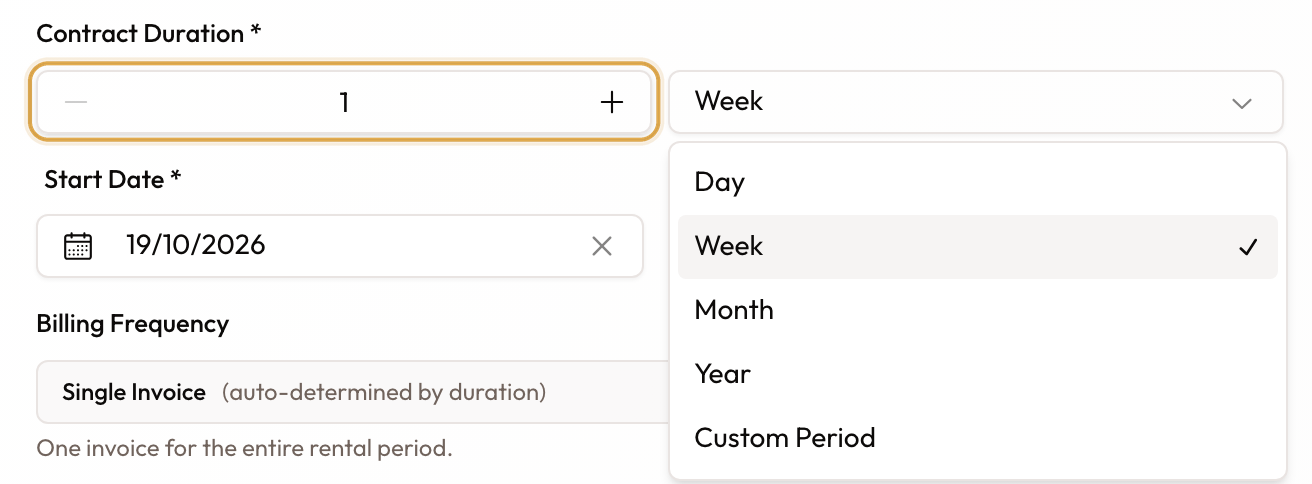
Enter a number under Contract Duration and pick the unit.
Read which kind you have
Look at Billing Frequency, just below the dates. It is read-only, and shows its value next to the words "auto-determined by duration":
- Single Invoice — "One invoice for the entire rental period." This is a short-term rental.
- Monthly — "Monthly invoices for long-term rentals (30+ days)." This is a long-term rental.
Change the end date and it re-resolves immediately.
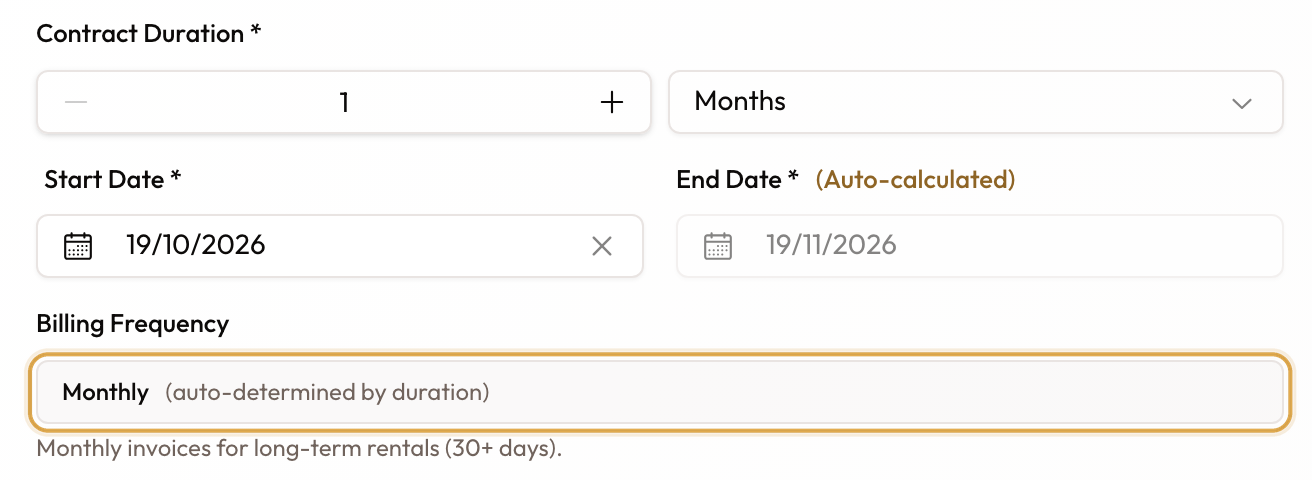
At one month, Billing Frequency reads Monthly on its own.
Check it later
Open the agreement. The Overview tab shows which kind it is at a glance:
- Short-term opens on the Rental Account — Total, Net billed, Net received and Outstanding across the top, then Due back and Not yet billed. There is no Agreement Information card here; on a short-term rental it would only repeat "Single Invoice".
- Long-term shows the Agreement Information card, where Billing Frequency reads Monthly.

A short-term rental opens on the Rental Account: Total, Net billed, Net received, Outstanding, then Due back.
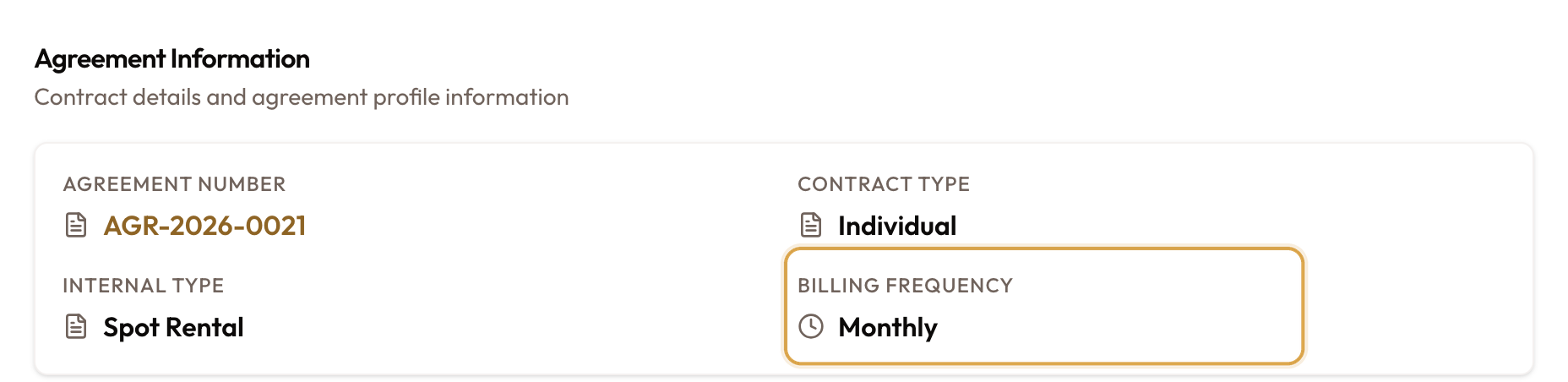
A long-term rental shows Agreement Information, with Billing Frequency reading Monthly.
On the agreements list, the Duration column shows each rental's length and, under it, Single or Monthly.
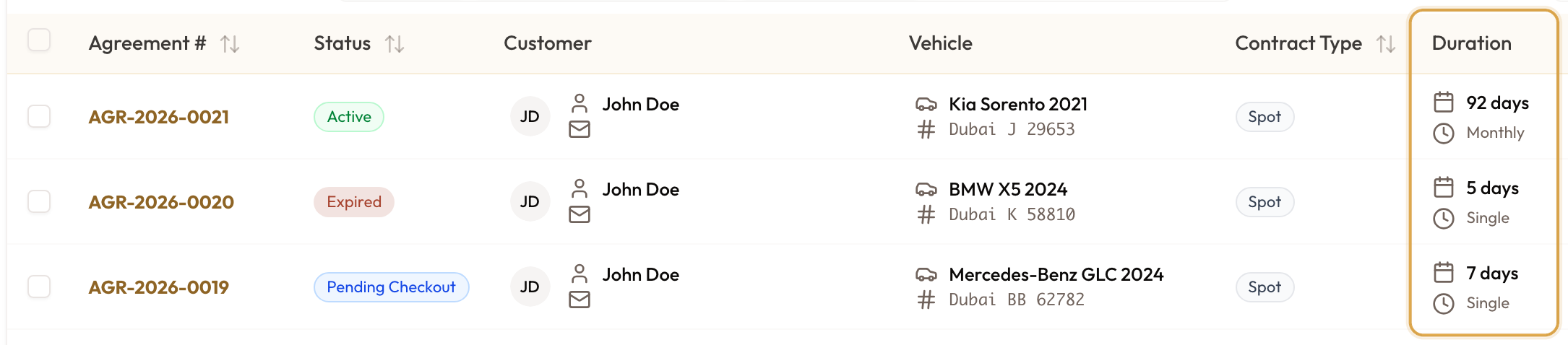
The Duration column: the length, and under it Single or Monthly.
Where the line falls
The length of the rental decides the rate tier, and the rate tier decides the billing frequency. A rental bills monthly when it covers a full month; anything shorter bills as a single invoice.
| Rental length | Rate charged at | Billing Frequency |
|---|---|---|
| 1–6 days | Daily | Single Invoice |
| 7–29 days that are not a full month | Weekly | Single Invoice |
| An exact calendar month, or an exact anniversary month | Monthly | Monthly |
| 30 days or more | Monthly | Monthly |
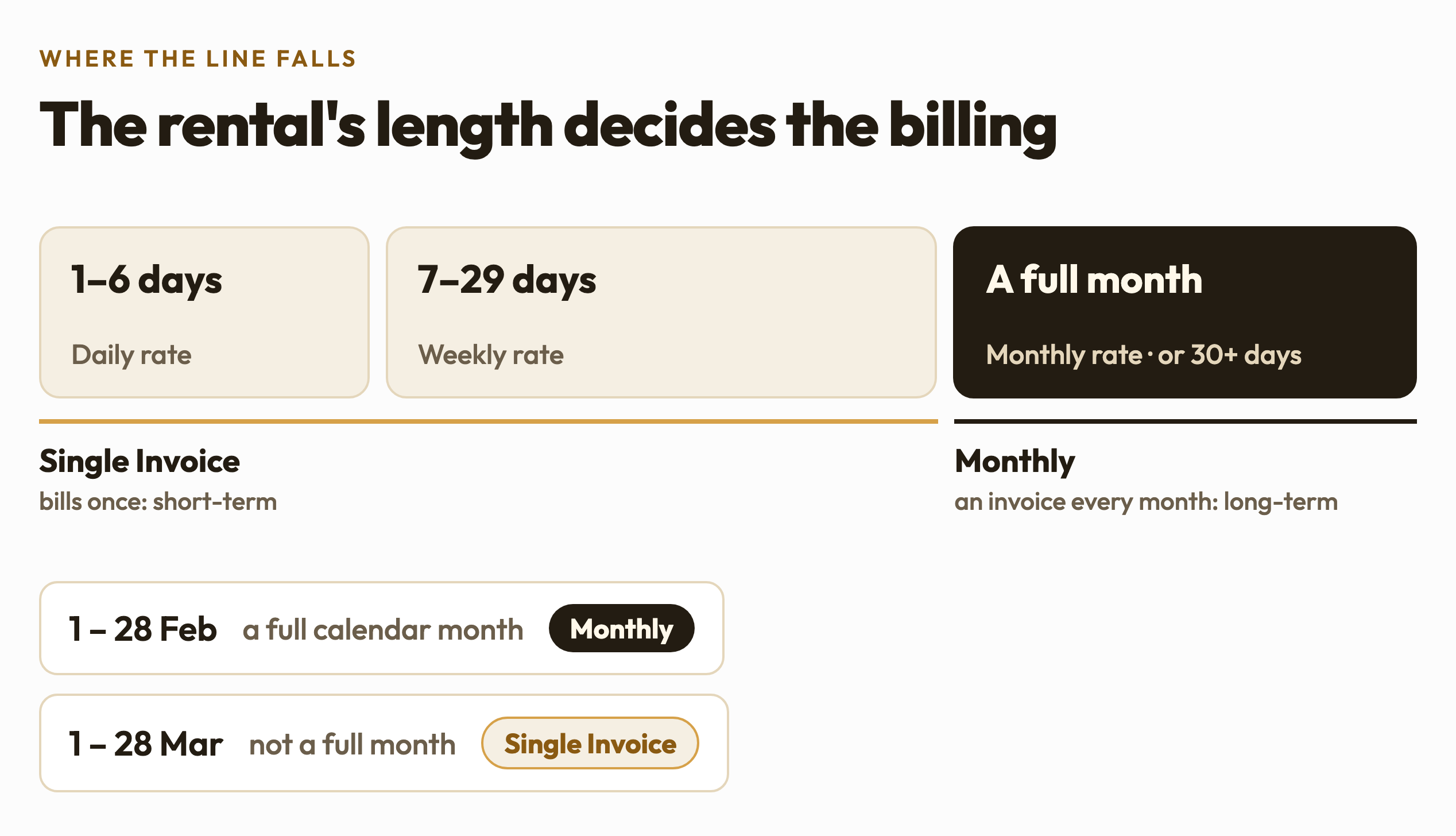
The rate for the matching tier is suggested under Base Rental Rate, and you can override it.
The same number of days can land on either side. February 1–28 is an exact calendar month, so it is long-term and bills monthly. March 1–28 is not a full month, so it is short-term and bills as a single invoice. The full-month check is applied before the shorter-rental rules, not after.
"30+ days" is a simplification. The on-screen hint says "Monthly invoices for long-term rentals (30+ days)", but a 28-day February rental bills monthly too. The rule is "a full month", with 30+ days as a fallback for long periods that are not exact months.
Charging a short rental day by day
A short-term rental of 7–29 days is quoted at the weekly rate. To charge every day at the daily rate instead, turn on the switch under the rate field:
Bill at the daily rate for the whole rental — "Charges every day at the daily rate above — no weekly split. Ignored for full-month rentals."
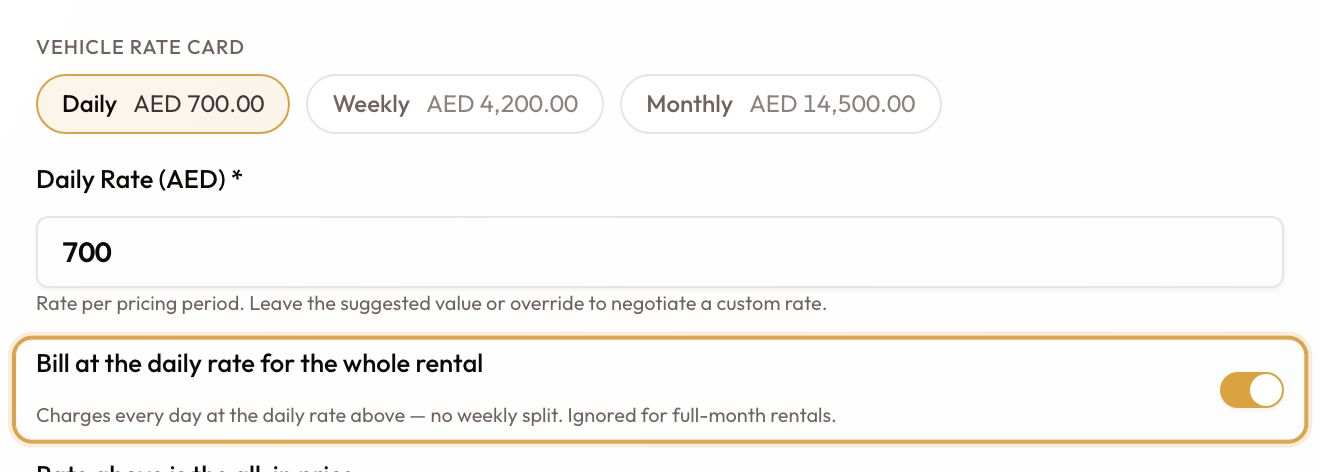
With the switch on, a 10-day rental is quoted at the daily rate.
The switch only appears on short-term rentals. There is no monthly equivalent: a long-term rental is always priced monthly, and if a rental grows into the monthly tier while the switch is on, it clears itself.
Worth knowing
You cannot force the billing frequency. That field is read-only — if it is not what you want, the dates are what you change. The daily-rate switch above changes the rate a short rental is quoted at, not whether it bills once or monthly.
A long-term rental is not a different type of agreement. It follows the same lifecycle as a short one. Only the invoicing differs, and with it the layout of the Overview tab.