

Introduction to SpectroNova Express
What SpectroNova Express does, how it is organised, and the life of a rental from first quote to closed agreement.
SpectroNova Express is car rental software for fleet operators in the UAE. It runs the whole business in one place: your vehicles, your renters, the rental agreement, the handover and return inspections, invoicing and payments, tolls and fines, and the reports that tell you how the fleet is doing. It handles a walk-in at the counter as well as a year-long monthly rental.
This page explains how SpectroNova Express is organised and the words you will see throughout the app. To set up your account, go straight to the Quick Start.
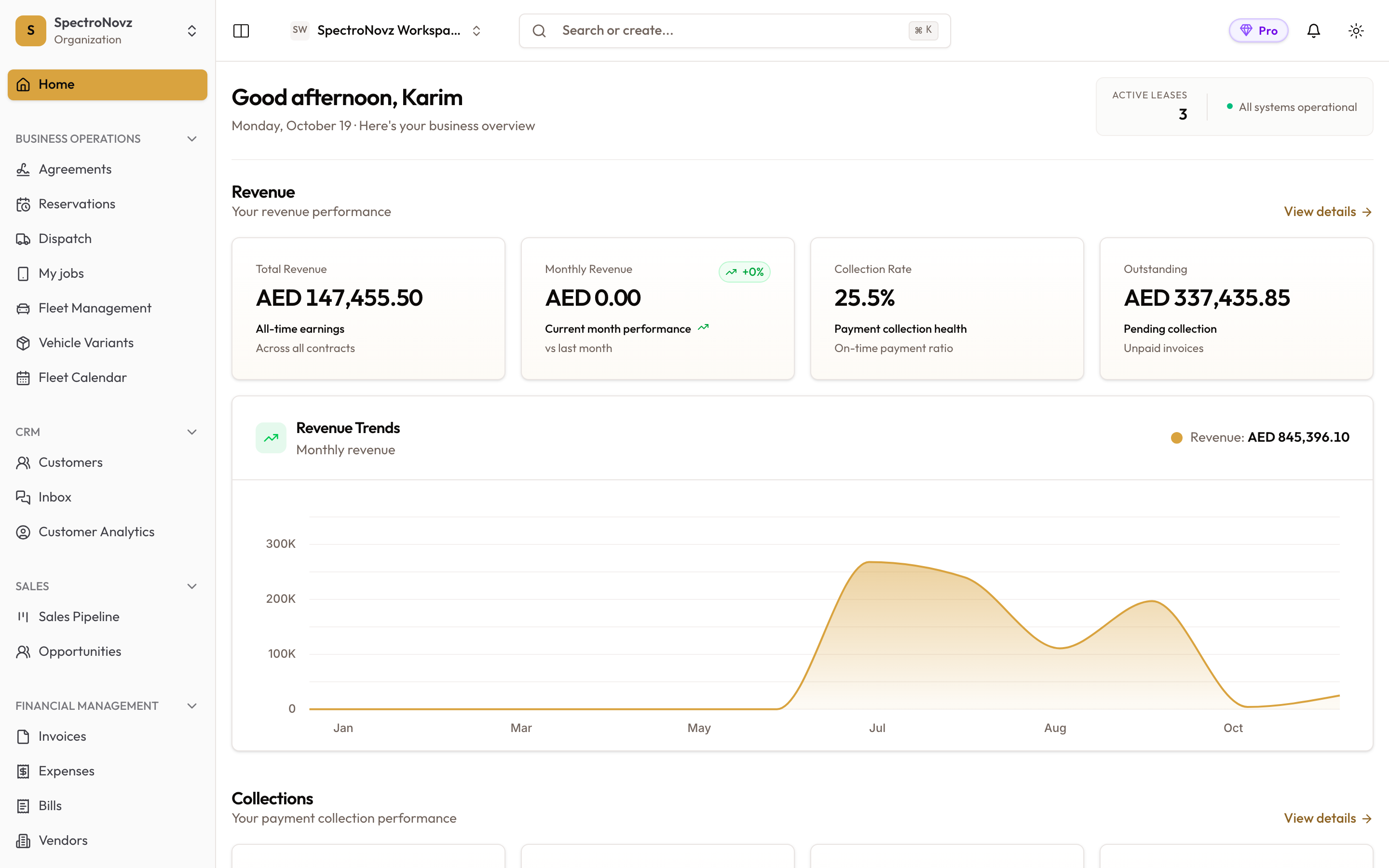
The Home dashboard you see after signing in: revenue, collections and fleet at a glance, with the main menu on the left.
How your account is organised
Organization and workspaces
- Organization — your company. It holds your users, your subscription, and company-wide settings such as the currency (AED by default).
- Workspace — one operating unit inside the organization, such as a branch. Vehicles, customers, agreements and invoices belong to a workspace. You switch between workspaces from the Workspaces menu at the top of the screen.
How many workspaces you can have depends on your plan. See Creating & Configuring Workspaces.
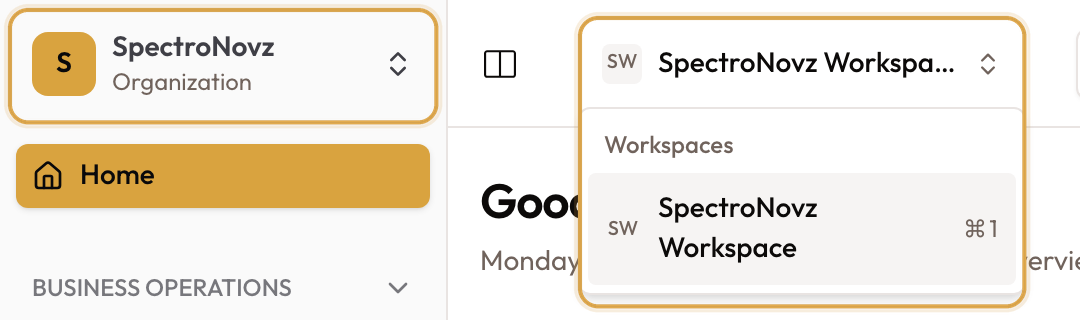
Your organization sits at the top left; the Workspaces menu in the top bar lists the workspaces you can switch to.
Plans
Your plan decides how many vehicles and workspaces you can have, and some features — for example Tolls & Fines — are only included on some plans. Each guide says when a feature depends on the plan. Your current plan and usage are under Settings → Plan Usage: see Plan, Usage & Subscription.
Finding your way around
The main menu on the left groups everything by the job it does:
| Menu group | What you find there |
|---|---|
| Home | Your workspace dashboard |
| Business Operations | Agreements, Fleet Management, Vehicle Variants and Fleet Calendar |
| CRM | Customers and Customer Analytics |
| Sales | The Sales Pipeline and Opportunities |
| Financial Management | Invoices, Expenses, Bills, Vendors, Tolls & Fines and Billing Batches |
| Reports and Analytics | The Reports Hub and the analytics dashboards |
| Settings | Organization, workspace, and the templates and rules the app follows |
| AI Assistant | Ask questions about your data in plain language |
What you see depends on your role and your plan. If a menu item is missing, your role may not include it — see Inviting Team Members.
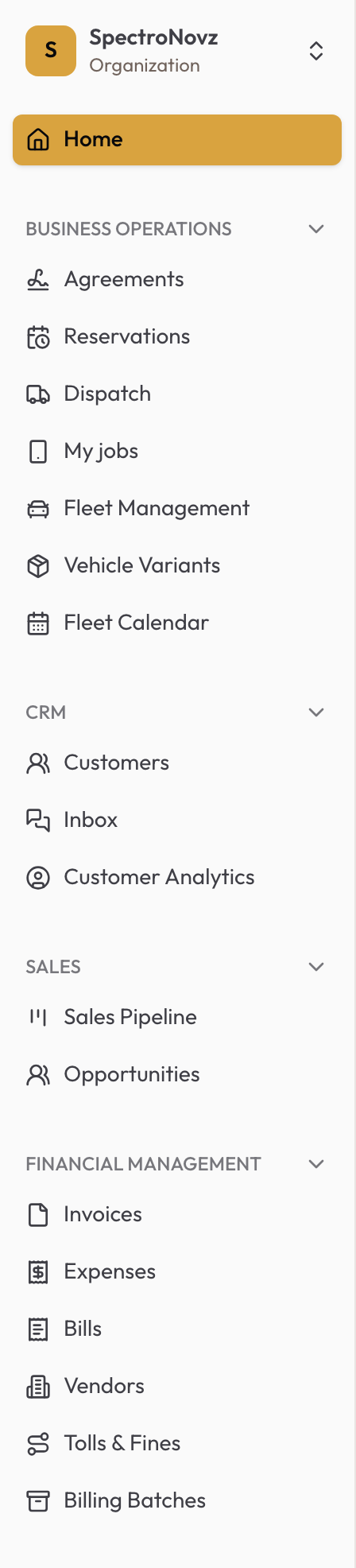
The main menu, grouped by job.
Rentals
Two kinds of rental
Every rental is an agreement between you and a renter for one vehicle. SpectroNova Express bills it one of two ways, chosen from the rental's length:
| Kind | Billing Frequency | How it is billed |
|---|---|---|
| Short-term | Single Invoice | Charges collect on the agreement's Rental Account; you raise them with Bill rental |
| Long-term | Monthly | A payment schedule raises an invoice every month |
Agreement Types Explained covers the difference in detail. For a walk-in customer, an Express rental takes you from renter to handover in one guided pass.
The life of an agreement
An agreement moves through these statuses:
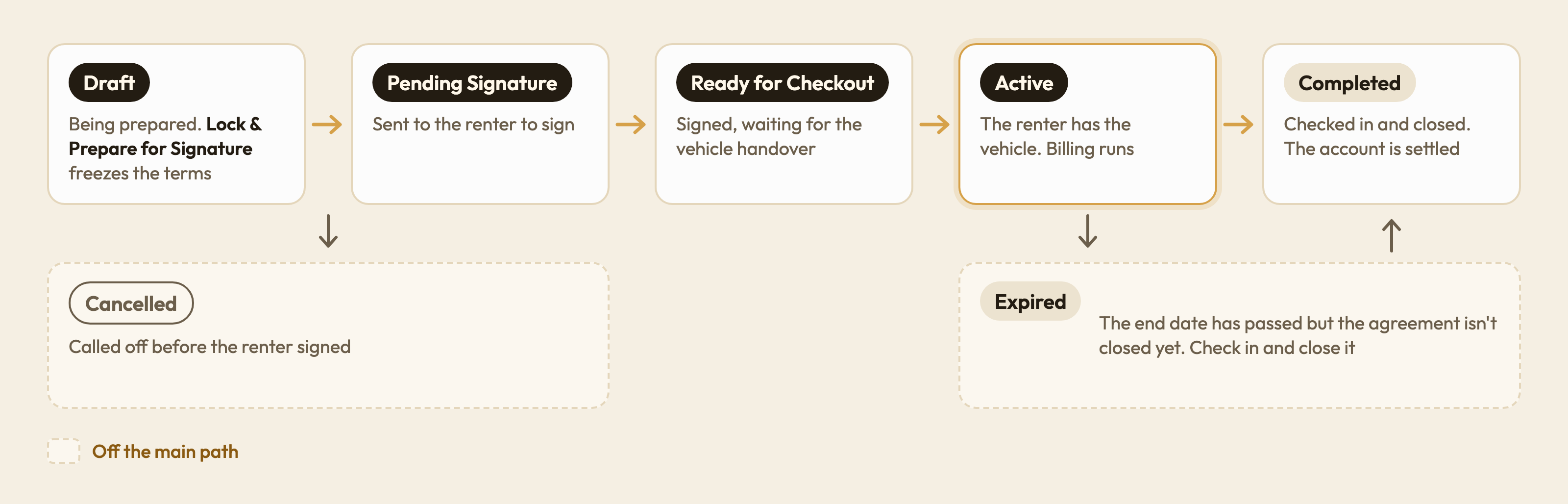
The main path runs from Draft to Completed. Cancelled and Expired sit off to the side.
| Status | What it means |
|---|---|
| Draft | Being prepared. Lock & Prepare for Signature freezes the terms so the renter can sign |
| Pending Signature | Sent to the renter to sign electronically |
| Ready for Checkout | Signed and waiting for the vehicle handover |
| Active | The renter has the vehicle |
| Expired | The end date has passed and the agreement has not been closed yet |
| Completed | Closed: the vehicle is back and the account is settled |
| Cancelled | Cancelled before it was signed |
The guides follow the same order: create, lock and sign, check out, bill, check in, close. The Short-Term Rental Workflow and Long-Term Rental Workflow walk through a whole rental end to end.
Handover and return
At checkout and check-in you inspect the vehicle: mileage, fuel, condition, photos and any damage. What the inspection asks for comes from your workspace's inspection template. See Vehicle Checkout & Handover.
Billing and payments
- Invoices are raised from the agreement — on its monthly schedule, with Bill rental, for add-ons and extensions, or by hand. Credit notes correct them.
- Payments are recorded against invoices by Cash, Cheque, Bank Transfer or Card (Credit/Debit).
- Statements show what a customer owes across all their agreements.
Invoices carry 5% UAE VAT. When your organization has a TRN, the invoice is titled Tax Invoice. Start with Invoice Types & Automated Generation.
Built for the UAE
- Tolls & Fines syncs Salik and Darb tolls and traffic fines and charges them to the renter who had the vehicle. See Billing Tolls, Fines & Parking to Customers.
- VAT at 5% on invoices, with tax invoices for VAT-registered companies.
- One currency for the whole organization, AED by default.
- Scan an Emirates ID or passport in an Express rental to fill in the renter's details.
AI Assistant
The AI Assistant answers questions about your workspace's vehicles, customers, agreements and invoices in plain language, reading your data to answer.
Next steps
- Quick Start — set up your account and first workspace.
- Understanding the Dashboard — what the Home screen tells you.
Need help? Email the SpectroNova Express support team at support@spectronova.ai.